Roblox game by Studio Giraffe
Hyper Draw! Guide
Hyper Draw! is a Roblox game by Studio Giraffe. Roblox lists its last update on 2026-11-20.
- 9.2Kplaying now
- 3.5Mvisits
- 83%liked
- 2026-11-20last update
Codes: there are none
Hyper Draw! has no code system. Studio Giraffe has not posted codes on the Roblox game page or in the experience's announcements, and BloxNew, which checks every 20 minutes, lists no active or expired codes for the game.
There is nothing to redeem, so skip any page that promises a Hyper Draw! code list with working entries. Free rewards, if the developer ever adds them, would show up on the official Roblox page first.
How to play Hyper Draw!
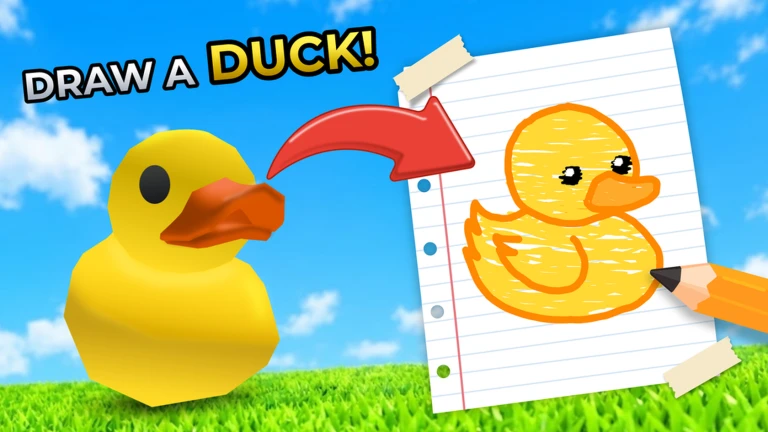
Hyper Draw! is a themed drawing contest. Everyone in the room gets the same subject, draws it on a canvas, and then votes on the other canvases with emoji reactions. A fireworks ceremony closes the round and shows the result.
Rooms hold up to 12 players, and the game sits in Roblox's Party & Casual and Coloring & Drawing genres. Keyboard and touchscreen both work, so the same round plays the same way on a phone or a PC.
Every finished picture passes through Roblox moderation before it is published or replicated to other players. If your drawing has not appeared yet, it is queued for review, not lost.
- Join a public room and let the lobby fill toward 12 players.
- Wait for the round theme to appear, then open your tool bar.
- Choose a brush from slots 1 to 7 and draw with Tool 2.
- Start with the free Crayon, Airbrush or Watercolor brush if you have bought nothing.
- Undo a mistake with Z and bring it back with Y.
- Save the drawing if you want to load it again in a later round.
- When the timer ends, give emoji votes to the other canvases.
- Stay for the fireworks ceremony to see who collected the most votes.
Brushes, layers and everything on the canvas
Nothing is gated behind a paywall to start drawing. The Crayon, Airbrush and Watercolor brushes are free, and the developer describes them as usable with Tool 2. Everything else is either free convenience or a paid extra layer of control over the same canvas.
Save and load is the feature to use early. A drawing you saved can be pulled back onto the canvas later, which makes it a reusable base for recurring themes instead of a one-off.
Layers are the paid upgrade that changes how you build a picture: paint the background on one layer, keep your subject clean on another, and repaint only what you need to.
| Canvas feature | How you get it | Price |
|---|---|---|
| Crayon, Airbrush, Watercolor | Tool slots 1 to 7, draw with Tool 2 | Free |
| Undo / Redo | Z and Y | Free |
| Save and load artwork | In-game save and load | Free |
| Emoji voting | Vote on other drawings after the timer | Free with the standard emoji set |
| Extra layers | Extra Layers! pass | 99 Robux |
| Rainbow brush | Rainbow Brush pass | 200 Robux |
| Full emoji set | Unlock All Emojis! pass | 200 Robux |
| Unlimited time extensions, custom themes, skips | Private server settings | Private server |
The pass names describe what they add; no separate perk list is published for the VIP pass.
Voting, emoji reactions and the scoreboard
The vote is the scoreboard. After the drawing time runs out, the canvases go up and players react to each one with emojis; the fireworks ceremony then plays over the results.
That makes readability more valuable than detail. A picture whose subject can be recognised at a glance collects reactions before anyone studies the shading, so plan the big shapes first and spend the rest of the clock on polish.
Roblox's own description puts the emoji vote and the fireworks ceremony in the same breath, so treat the ceremony as the end-of-round beat: votes are already counted by the time it starts.
Private servers: your theme, your clock
A private server removes the two limits that matter in a public round. The developer lists unlimited time extensions, custom themes and unlimited skips as private-server features, so you choose the subject yourself and you are never forced to draw a theme you dislike.
That turns the game into a practice room or a party room. roburo.jp describes private servers the same way: a place to adjust things like the theme and to run a drawing session with friends.
Use one for warm-ups. Pick a theme you find hard, take as long as you like, and save the result. Then take that practice into a public room where the theme is chosen for you.
- Custom theme instead of the random one
- Unlimited time extensions, so the clock never cuts you off
- Unlimited skips to pass on a theme you do not want
- Up to 12 people, the same room size as a public server
- Best for practice, friend groups and themed contests
What to buy first
There are five passes and no separate Robux shop items, so every purchase decision comes down to those five. BloxNew totals the set at 829 Robux, which means you can buy part of it with a small Robux balance and still get a real upgrade.
Buy order for most players: Extra Layers! at 99 Robux first, because layers change how you build every drawing. Supporter at 10 Robux is the cheapest purchase in the game and the one to add if you simply want to back the developer. The Rainbow Brush at 200 Robux sits next for anyone who draws in every session. Unlock All Emojis! is the social buy, and VIP at 320 Robux is the largest single spend, so leave it for last unless you want the full set at once.
| Pass | Price | Buy it when |
|---|---|---|
| Supporter | 10 Robux | You want the cheapest way to support the game |
| Extra Layers! | 99 Robux | You build scenes with a background and a separate subject |
| Rainbow Brush | 200 Robux | You draw every session and want a different brush in the toolbar |
| Unlock All Emojis! | 200 Robux | You vote a lot and want the full emoji reaction set |
| VIP | 320 Robux | You have decided to own everything and want the top tier |
All five passes together come to 829 Robux, the figure BloxNew lists.
Tips for better rounds
Treat each round as a short sprint rather than a finished artwork. Voters only see your canvas for a moment, so a bold silhouette in the theme's colour beats a carefully shaded drawing whose subject is unclear.
Plan the layer order before you touch the brush: flat background first, big shape second, outlines and highlights last. With Extra Layers! you can hide or repaint the background without destroying the subject.
Public rooms are full mostly in the evenings. RBLXSTAT's hourly averages put the busiest window at Saturday around 17:00 UTC, and the quietest at Tuesday around 06:00 UTC, so queue at the weekend if you want a full 12-player vote.
- Block in the main shape first, then add detail with the Crayon or Watercolor brush.
- Press Z the moment a stroke looks wrong; repainting over a mistake costs more time than undoing it.
- Save drawings you are proud of and load them again when a similar theme returns.
- Fill the canvas: empty space reads as unfinished work at vote time.
- Use emoji votes generously; reactions are the only feedback other players get.
- Keep a private server for practice themes and unlimited time extensions.
- Expect a moderation wait before your drawing is replicated to the room.
Game facts players ask about
Hyper Draw! is a Studio Giraffe group project with universe ID 6899325466 and place ID 118868556321211. Roblox rates it Minimal maturity, which is why it is open to all ages, and it is free to play — there is no paid access pass.
It is a small-room game: 12 players per server, which keeps a round's vote short enough to get through in one sitting. Creator Exchange measures an average session of about 16 minutes, roughly the length of a few rounds.
Nothing to install beyond Roblox itself. Open the place page on phone, tablet, PC or console, sign in and press play; MADGAMES makes the same point when it answers the download question.
| Detail | Value |
|---|---|
| Genres | Party & Casual, Coloring & Drawing |
| Maturity rating | Minimal |
| Room size | 12 players |
| Universe ID | 6899325466 |
| Typical session | About 16 minutes |
| Total pass spend | 829 Robux |
| Latest build | Two new versions released 20 Nov 2026 |
Source: RBLXSTAT, Creator Exchange, BloxNew, MADGAMES, Game.roblox-jp.com (checked 2026-11-22).
Game passes
Prices in Robux as listed on Roblox on 2026-11-22. Prices can change.
- Game pass
- Rainbow Brush
- Price
- 200 Robux
- Game pass
- Unlock All Emojis!
- Price
- 200 Robux
- Game pass
- Extra Layers!
- Price
- 99 Robux
- Game pass
- VIP
- Price
- 320 Robux
- Game pass
- Supporter
- Price
- 10 Robux
Official description
Welcome to Hyper Draw! 🎨 Join the advanced drawing competition for ALL AGES!
Hyper Draw! 🎨 is a free to play drawing game with advanced drawing tools! Save and load your artwork! 💾
🛡️ All drawings are reviewed by Roblox moderation before they are published or replicated in-game.
🖌️ Use the FREE Crayon, Airbrush, or Watercolor brush with Tool 2!
🟢 UNLIMITED Time Extensions, Custom Themes & Skips in Private Servers!
🎮 CONTROLS (keyboard or touchscreen): 1 - 7
⬅️ Undo: Z
➡️ Redo: Y
Vote with emojis & watch the fireworks ceremony!
❤️ Please thumbs up (👍) and favorite (⭐) to support future updates!
Quoted from the game's Roblox page, checked on 2026-11-22.
Related
Popular games right now
How we checked this page
| Game | Hyper Draw! on Roblox |
|---|---|
| Developer | Studio Giraffe |
| First published | 2024-12-09 |
| Roblox place ID | 118868556321211 |
| Last updated on Roblox | 2026-11-20 |
Checked on 2026-11-22 against Roblox game and community pages.
Roblox has several games with similar names. This page is about the game with place ID 118868556321211.
Player rating: 83% positive (2,456 up, 495 down, 2,951 votes on 2026-11-22).
Roblox statistics on 2026-11-22: 3,522,925 visits, 18,241 favorites, 9,248 players online.
Frequently asked questions
What is Hyper Draw!?
A Roblox game by Studio Giraffe, first published 2024-12-09.
Who made Hyper Draw!?
Hyper Draw! is published on Roblox by Studio Giraffe.
When was Hyper Draw! released and last updated?
Roblox lists Hyper Draw! as first published on 2024-12-09 and last updated on 2026-11-20 (checked 2026-11-22).
Does Hyper Draw! have codes?
Hyper Draw! has no code system. Studio Giraffe has not posted codes on the Roblox game page or in the experience's announcements, and BloxNew, which checks every 20 minutes, lists no active or expired codes for the game. There is nothing to redeem, so skip any page that promises a Hyper Draw! code list with working entries. Free rewards, if the developer ever adds them, would show up on the official Roblox page first.
How much do the Hyper Draw! game passes cost?
Passes that are for sale cost between 10 and 320 Robux (checked 2026-11-22). Prices can change.
Is this the official Hyper Draw! website?
No. This is an unofficial fan reference site and is not affiliated with Roblox or Studio Giraffe.